Some of you may know, about 3 weeks ago I purchased a Canon HV20 HD Camcorder. I wanted to test it's full video quality, so Jonathan and I set out to film some footage of his BMW M3. I shot the video at a full 1080p at 24fps and edited together a little spec commercial for fun. It was not my original intention to make a commercial out of it, but I thought I might as well turn the footage into something useful. Take a look, and let me know that you think.
I hope you enjoy my choice of music. *wink*
You can view the YouTube Version here...
And the Vimeo HD version here (Better Quality...Click Link Below Video to watch in HD)...
BMW Spec Commerical - Directed By Daniel Broadway from Daniel Broadway on Vimeo.
Wednesday, April 16, 2008


Monday, April 7, 2008
VFX Tip #1 - Hunk Of Burning Love
No, I'm not the hunk of burning love. However, you may love me after this easy tip. In addition, you'll most certainly love the power of blending fire elements using 1.0 gamma.
This is the first of what I hope to be a continued series of visual effects tips. Sometimes they will be quick tips, and sometimes a bit more involved.
For my first tip, I thought I would share the benefits of compositing using a gamma blending of 1.0 in Adobe After Effects. Without going into a detailed explanation, blending with a gamma of 1.0 allows a more natural looking blend of light inside of a composite. This is especially true of elements shot against black such as fire or explosions.
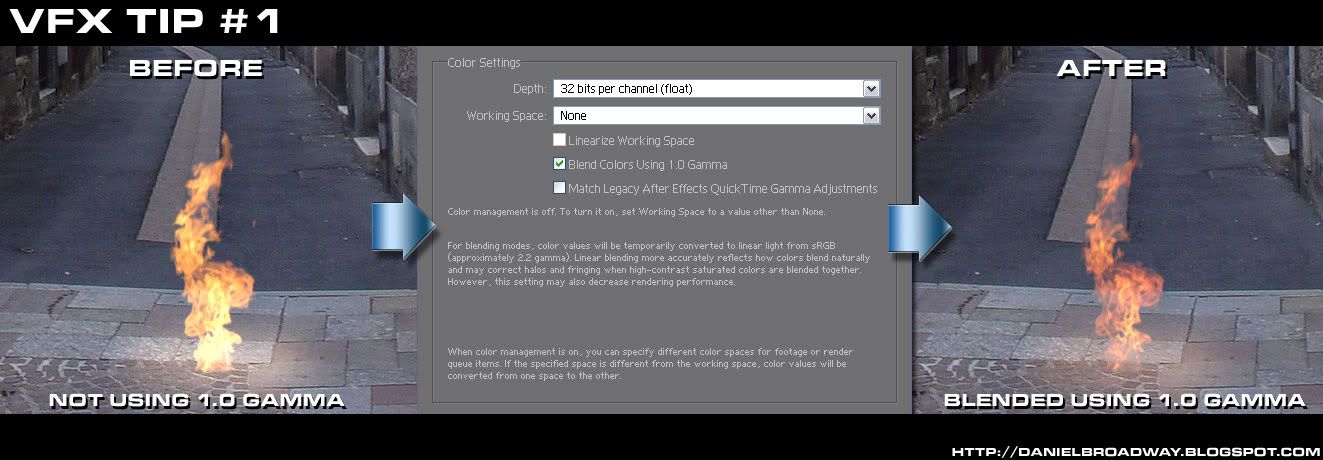
In After Effects, you can enable 1.0 gamma blending by going to File>Project Settings and put a check mark next to "Blend Colors Using 1.0 Gamma." Below is an image example. All settings are identical, except for the gamma blending change. Both fire elements are composited using the "Add" transfer mode.
 Click to Enlarge
Notice how the fire on the left is quite blown out, and has lost much of it's orange color, which was in the original plate. After enabling blending, you can see on the right that it sets in the in the image much nicer, and looks far more natural. Well, as natural as burning stone can look, anyway. There is also a noticeable difference in the cast lighting that I faked on the ground under the fire.
Also keep in mind, that this can also be useful for energy effects, such as sparks, lightning, lasers, or even lightsaber blades.
I hope this little tip was helpful. Stay tuned for more.
This is the first of what I hope to be a continued series of visual effects tips. Sometimes they will be quick tips, and sometimes a bit more involved.
For my first tip, I thought I would share the benefits of compositing using a gamma blending of 1.0 in Adobe After Effects. Without going into a detailed explanation, blending with a gamma of 1.0 allows a more natural looking blend of light inside of a composite. This is especially true of elements shot against black such as fire or explosions.
In After Effects, you can enable 1.0 gamma blending by going to File>Project Settings and put a check mark next to "Blend Colors Using 1.0 Gamma." Below is an image example. All settings are identical, except for the gamma blending change. Both fire elements are composited using the "Add" transfer mode.
 Click to Enlarge
Notice how the fire on the left is quite blown out, and has lost much of it's orange color, which was in the original plate. After enabling blending, you can see on the right that it sets in the in the image much nicer, and looks far more natural. Well, as natural as burning stone can look, anyway. There is also a noticeable difference in the cast lighting that I faked on the ground under the fire.
Also keep in mind, that this can also be useful for energy effects, such as sparks, lightning, lasers, or even lightsaber blades.
I hope this little tip was helpful. Stay tuned for more.
Saturday, April 5, 2008
My "Star Trek" Fake Footage Entry [UPDATED: April 11, 2008]
 Click to Enlarge To HD Size
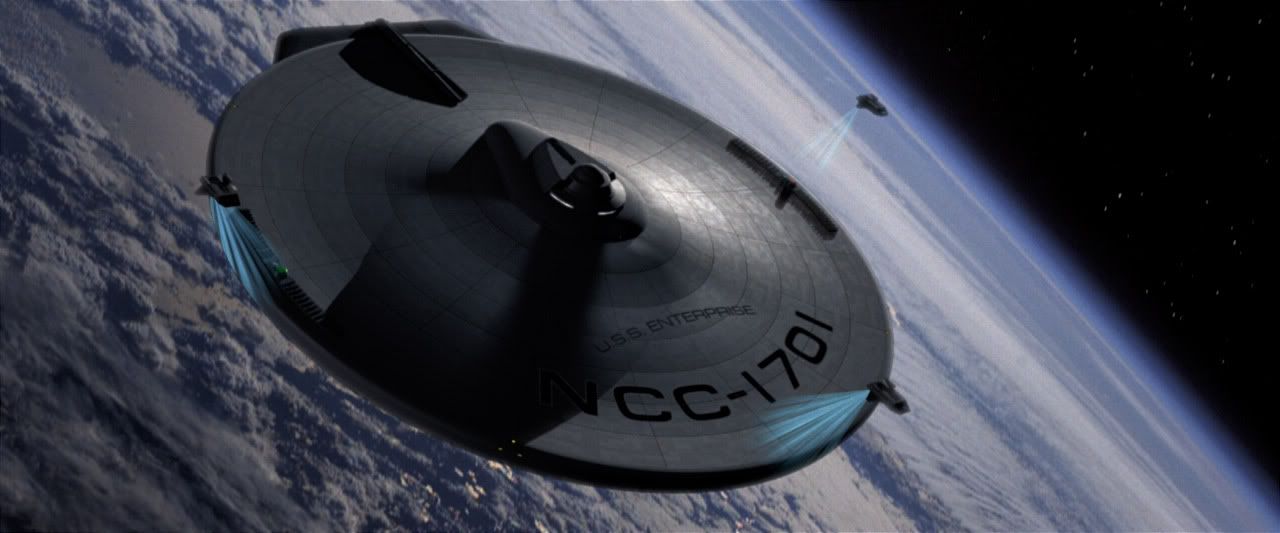
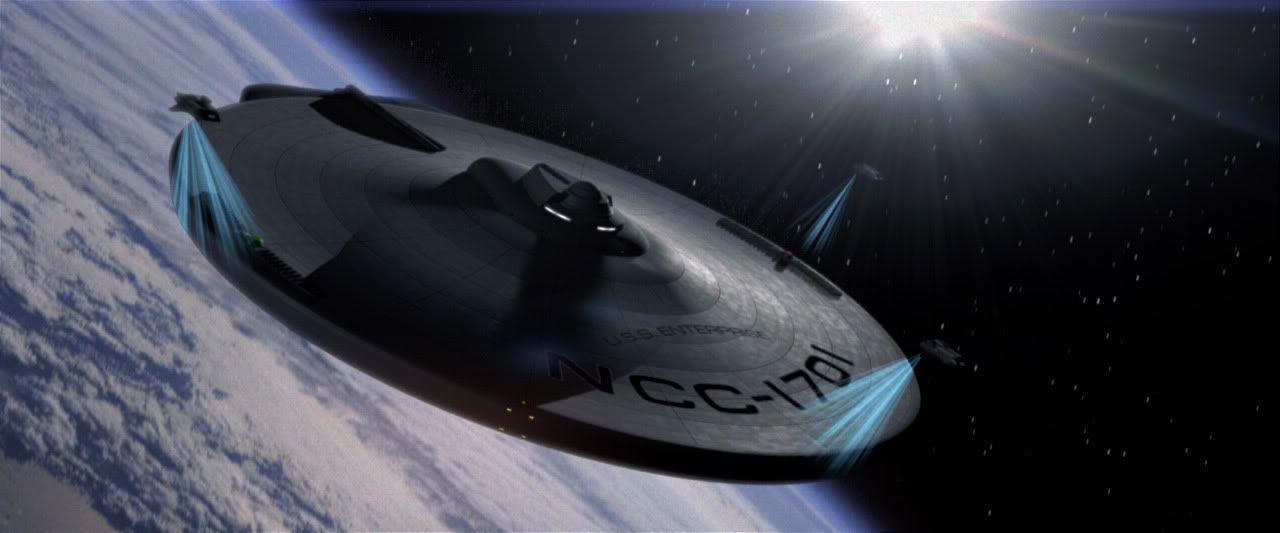
Well, I just finished up my latest visual effects shot. It is for IO9's and Trekmovie's joint Star Trek fake footage contest. Because of the amount of time required for modeling the saucer and shuttles, I actually finished this shot in under 24 hours from animation, rendering, to compositing.
For those not familiar with visual effects, that is a breakneck pace to finish a shot like that. It's not my best work, because of the severe time limit, I didn't have time to tweak it to perfection. I like it nonetheless, so I thought I'd post it. The winners of the contest will be announced Monday, April 7th. Wish me luck.
Here is my entry at YouTube...
and in HD at Vimeo (better quality)...
"Star Trek" Fake Footage from Daniel Broadway on Vimeo.
Wednesday, February 20, 2008
The Ulitmate Snack
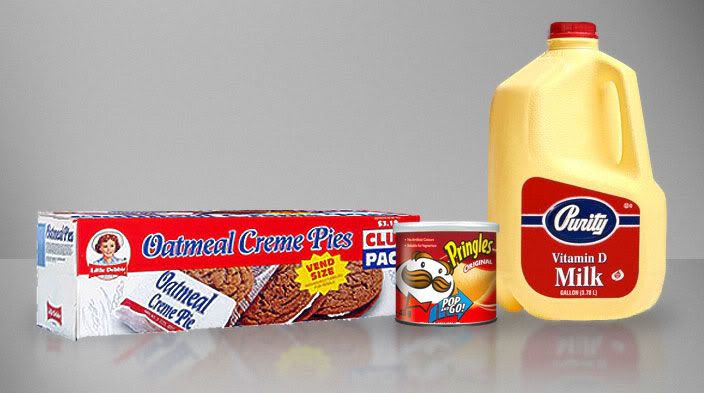
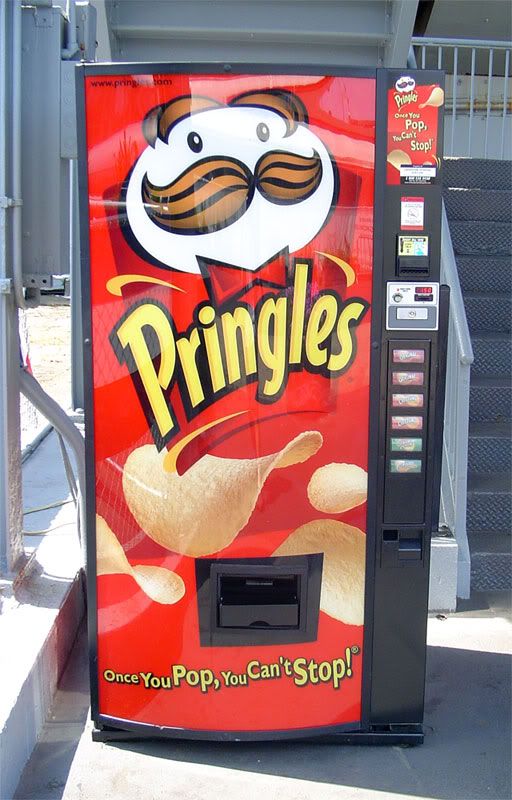
Today I discovered the most delicious combination of snackage that can be experienced by us, as humans. It is as follows...
1. A "Grab and Go!" serving size of original flavored Pringles. (available at most gas stations and supermarkets.)
2. A "vend size" Little Debbie Oatmeal Creme Pie. (available at most gas stations)
3. And a glass of Purity Vitamin D Milk. (available at most supermarkets)
Of all the various snacks I have ever had, none come close to tasting as good as the aforementioned items. While they are delicious on their own, the combination of the three, eaten together, provides man with a taste experience unmatched in history.
While doing research for this blog entry, I also have discovered the greatest machine that man has ever created, and probably ever will...
Friday, January 11, 2008
Star Trek Fan Trailer Mistaken for "Star Trek" Real Teaser

Anyone who knows me, knows I'm a big fan of Star Trek. Well, I wanted to brush up on my CG skills, so I decided to make a Star Trek fan teaser trailer, based on the new Star Trek movie being made by J.J. Abrams. I had the simple idea to have a fly though of the the solar system, and then revel the new Enterprise under construction. Something that only took about a week of working on it on and off.
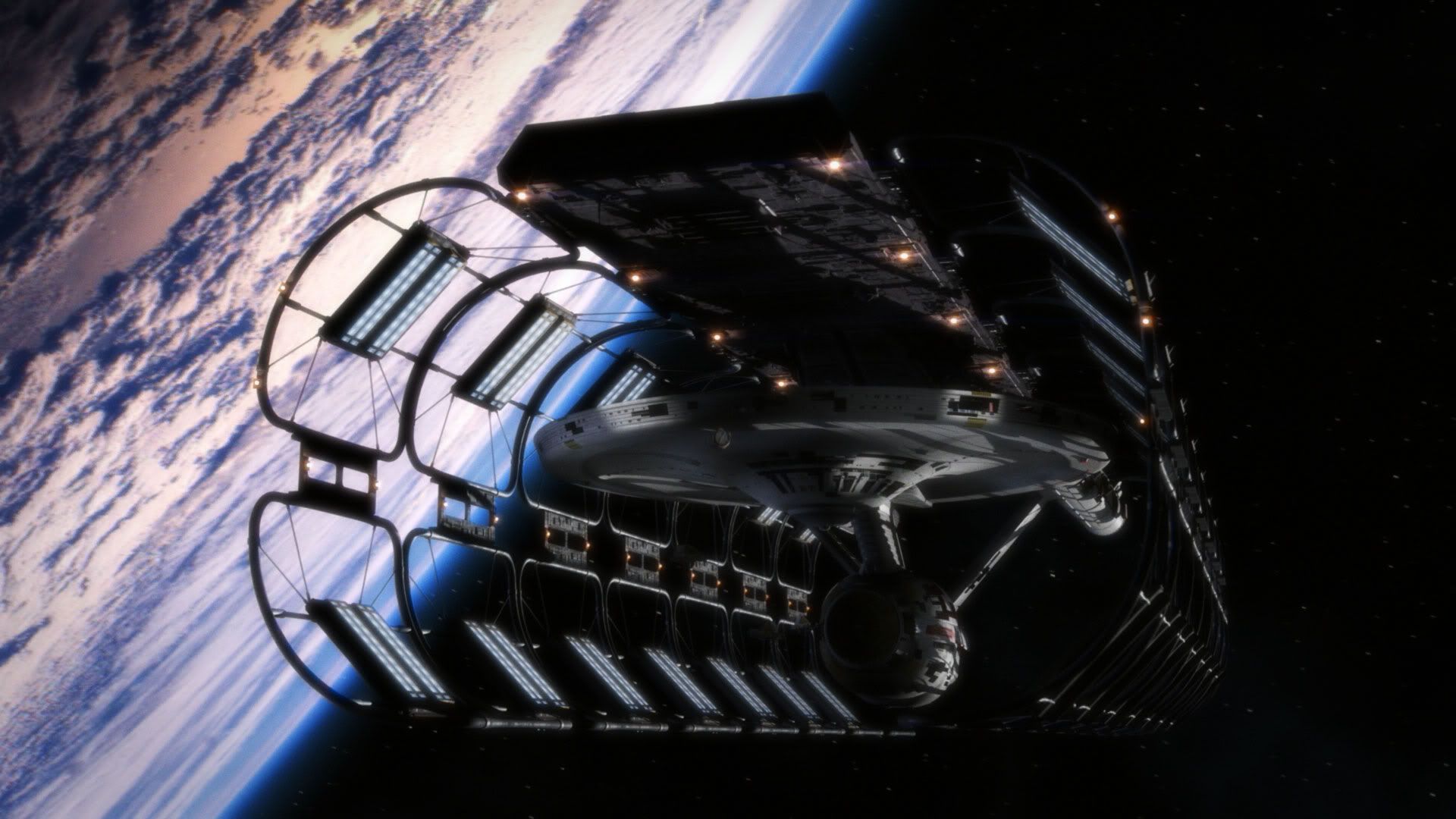
Anyway, I mostly finished my fan teaser late Wednesday night. So, after helping me with encoding tests, "someone", who will remain nameless, decided it would be funny to put my teaser trailer on YouTube and tout it as the real "leaked" Star Trek teaser. The real teaser for Star Trek will be attached in front of Cloverfield which comes out on January 18th, so the timing of this "leak" was actually quite clever.
Anyway, when I woke up, I was informed what had happened and went to Trekmovie.com site, which I visit daily. At this point, my fan trailer had spread all over the Star Trek fan sites, and was believed by many to be the genuine teaser trailer due out next week. Trekmovie had already debunked the trailer as being a fake, and through IP tracking, had discovered it had come from my IP address, and since I post their regularly, under my real name, I was called out on my "deception."
I immediately posted a comment on the article at Trekmovie to explain that I was the creator of the fan trailer, and to confirm that it was indeed not the real trailer. Even so, people all over the internet not as informed, have mistaken it for the real teaser trailer. It's been featured on many star trek fan sites, Ain't It Cool News, Slashfilm, and YouTube. At the time of this writing, the YouTube video has been viewed 48,705 times in about 36 hours.
So anyway, it's been a crazy day and a half on the internet for me. But also kind of fun. I just want to say thanks to all the fans who have complimented me on my fan teaser, and I hope you enjoyed it.
The fan trailer I created, can be seen below...
If you want to see a higher quality version of it, you can "Right Click and Save As" below...
Star Trek Fan Teaser Trailer
Tuesday, December 4, 2007
Visual Effects for "Like Moles, Like Rats" Completed

Today I composited the final visual effects shot for Like Moles, Like Rats. I have completed 60 effects shots for the film over the course of about a year and a half.
I began work on the film as visual effects supervisor in June of 2006. This is the first feature length film I have ever worked on, and it's been a great experience. Sure, there were very stressful times too, but I have learned so much about filmmaking, and also about creating ever more complex visual effects shots.
I'm truly glad I had this experience to learn new VFX techniques. And the director, Jim Torres, is a great guy to work with, and also a good friend. He's probably had more patience with me than I deserved, heh.
The reason I say that, is that the premiere of the movie for cast and crew is on Friday, and I'm turning in the last visual effects shot on Thursday morning. I like to cut it close, to keep Jim on the edge of his seat, biting his finger nails.
I would also like to especially thank Tom Miller, an online buddy of mine, who lent a hand as an Effects Technical Director. He created some beautiful computer simulations of oil fires, smoke, nuclear bombs, and S.O.S. flares. His work is fantastic, and he is truly talented at particles and fluid simulations. Tom, thanks for your hard work, buddy.
Also, I want to thank Kristian Andi Lemmik, who created some wonderful, and very detailed 3D virtual environments for the most complex visual effects shot in the film. He did great work, and his work allowed me to fly a camera down a fully CG street, and still see rich detail. Thanks for your hard work as well, Kristian.
Speaking, of environments, my father-in-law, Dick Shook, allowed me to use several CG models of buildings he had made, to detail a virtual city environment. A very big thanks to him for use of his buildings.
I also should thank my best friend, Jonathan, and also my wife Sarah, for spending many hours by my side, keeping me company while I slaved away on shots.
It's been a wild ride, and I am very excited to see my work for the first time on a movie screen on Friday night.
As for future projects, Jim and I will be working to complete my short SciFi film, Invasion, which was put on hold to work on Likes Moles, Like Rats.
I am also assisting Tom as compositing supervisor for a space battle sequence in a Star Wars fanfilm called Star Wars: Threads of Destiny.
Sunday, December 2, 2007
Invasion Teaser Poster

I finally got around to making an "online teaser poster" for our short scifi film, Invasion.
I would like to thank Mandi Milligan for lending her photography skills to make this possible.
Expect more updates on Invasion soon.
Subscribe to:
Posts (Atom)